How to Take a Great LinkedIn Photo
A practical guide to taking a great LinkedIn photo — framing, lighting, background, expression and clothing — plus a faster AI alternative.
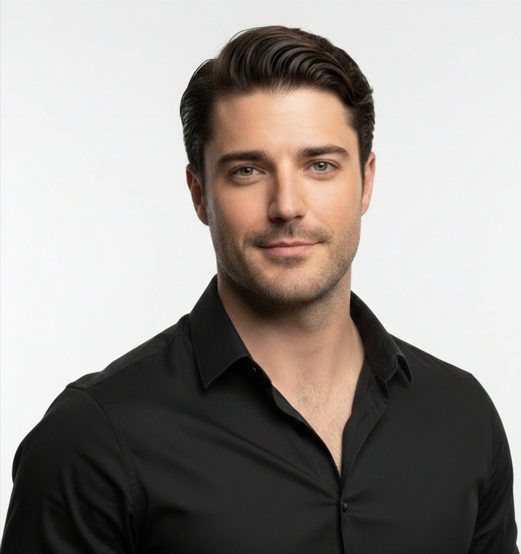
To take a great LinkedIn photo, use soft natural light facing you, frame from mid-chest up with your eyes on the upper third, choose a clean uncluttered background, and give a warm, genuine expression. If you cannot get a good shot at home, an AI headshot tool like ProPicStudio can turn a few selfies into a professional LinkedIn photo in minutes.
Your LinkedIn photo is often the first impression a recruiter, client, or hiring manager forms of you. A good one makes you look approachable and credible; a bad one quietly costs you opportunities. The good news: you do not need a studio. You need light, framing, and a genuine expression — and a few minutes.
Get the light right
Lighting is 80% of the result. Face a large, soft light source — a north-facing window is ideal — so the light falls evenly across your face. Avoid harsh overhead lights, which cast shadows under the eyes and nose. Never shoot with a bright window behind you, or you will become a silhouette. If natural light is poor, sit facing a bright, even lamp rather than a single harsh bulb.
Frame it like a professional
- Shoot from mid-chest up — a headshot is not a full-body photo.
- Hold the camera at or slightly above eye level to flatter your jaw.
- Place your eyes around the upper third of the frame.
- Leave a little space above your head, but not too much.
- Use the rear camera, not the selfie cam, for better quality if someone can help.
Choose a clean background
A cluttered background pulls attention away from your face. A plain wall, a softly blurred office, or a simple neutral backdrop all work. Avoid busy patterns, doorways, and anything that appears to grow out of your head. Put some distance between you and the wall so any background blur looks natural.
Nail the expression
The most common mistake is a stiff, forced smile. Aim for a relaxed, genuine expression — think of someone you like walking into the room. A real smile reaches the eyes. If you struggle to relax on cue, take a breath, exhale, then shoot on the exhale. Take many frames; the keeper is usually the one between the posed ones.
Dress for your industry
Wear what you would wear to meet an important client in your field. Solid, muted colors photograph best; avoid loud patterns, logos, and pure white or pure black, which can fool the camera’s exposure. Make sure your collar sits flat and your hair is tidy. For more, see our guide on what to wear for a headshot.
A few technical tips
- Clean your lens — a smudge softens the whole image.
- Set a 3-second timer or use a helper so you are not reaching for the shutter.
- Shoot in the highest resolution your phone offers.
- Take 30+ frames and pick later, rather than hoping the first is the one.
The faster alternative: AI headshots
If you cannot get good light, do not own a tripod, or just want to skip the production, AI headshots are a strong shortcut. With ProPicStudio you upload as few as 6 selfies and get 100+ professional headshots back in minutes. You control how natural vs polished the result looks with an intensity slider, export up to 4K PNG, and you are covered by a 14-day guarantee that stays valid even after download. It is the fastest way to a LinkedIn-ready photo that still looks like you.
Mistakes that quietly hurt your profile
- Using a cropped group photo — it always shows, and the lighting never quite works.
- A selfie shot from below, which exaggerates the nose and chin.
- Heavy filters that smooth your face into someone else.
- A distracting or messy background that competes with your face.
- An outdated photo that no longer looks like the current you.
- Sunglasses, hats, or anything that hides your eyes.
Why your eyes do the heavy lifting
People connect with eyes first. Make sure they are sharp, open, and looking into the lens, and that there is a small reflection of light in them — that catchlight is what makes a portrait feel alive rather than flat. If your eyes look tired, get more light onto your face and shoot when you are fresh, not at the end of a long day.
Whether you shoot it yourself or generate it, the goal is the same: a clear, well-lit, approachable photo that looks like the real you on a good day.
Related reading
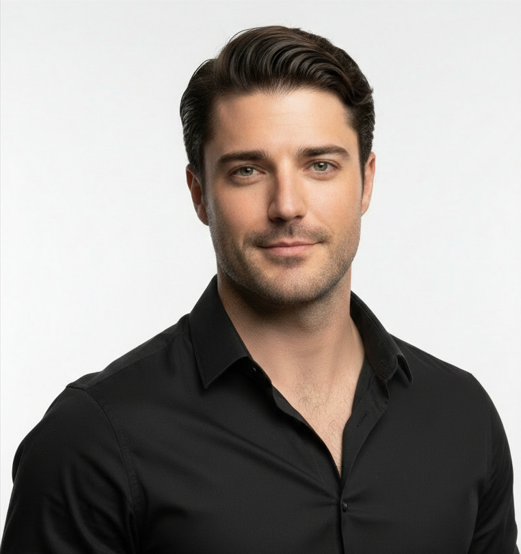
Robert J Hogan
Founder, ProPicStudio
Robert J Hogan is the founder of ProPicStudio. A full-stack engineer with 5+ years building scalable software and AI systems, he started ProPicStudio to make studio-quality, true-to-life headshots accessible to everyone — no photographer required.